One addon of light-weight tools for WoW: Forever. Open it from the anvil on your minimap, or type /ff, /forge, or /foreverforge.
One addon of light-weight tools for WoW: Forever. Open it from the anvil on your minimap, or type /ff, /forge, or /foreverforge.
Forever Forge is free, including every future update. If you've enjoyed this addon, please leave a donation and tell your friends.
 https://ko-fi.com/crumpshot
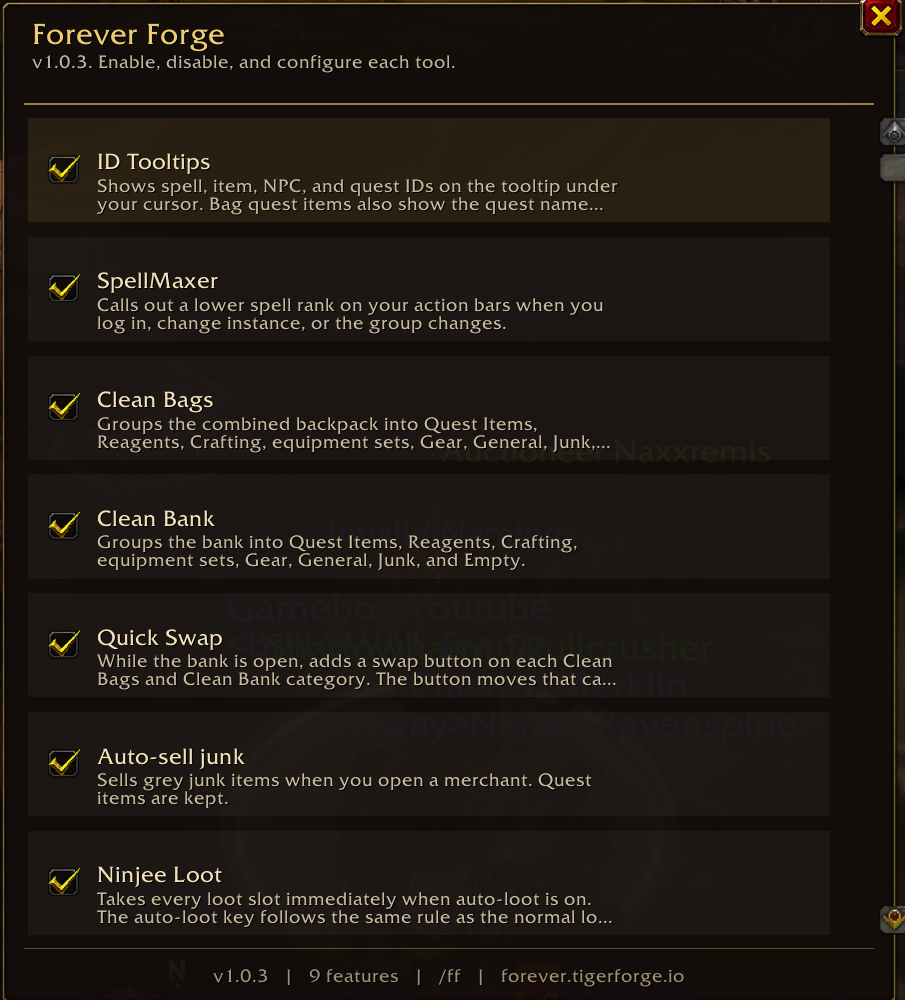
Every tool has its own switch. Turn one off and the rest keep working. Your choices are remembered. Your bags, bank, loot window, party frames, and tooltips stay the ones you already use. Forever Forge only adds the help on top.
Open the menu from the anvil on your minimap or with /ff. To hide the anvil, untick Minimap icon in the menu header or type /ff minimap. /ff always opens the menu. Type /ff reset if the button wanders off.
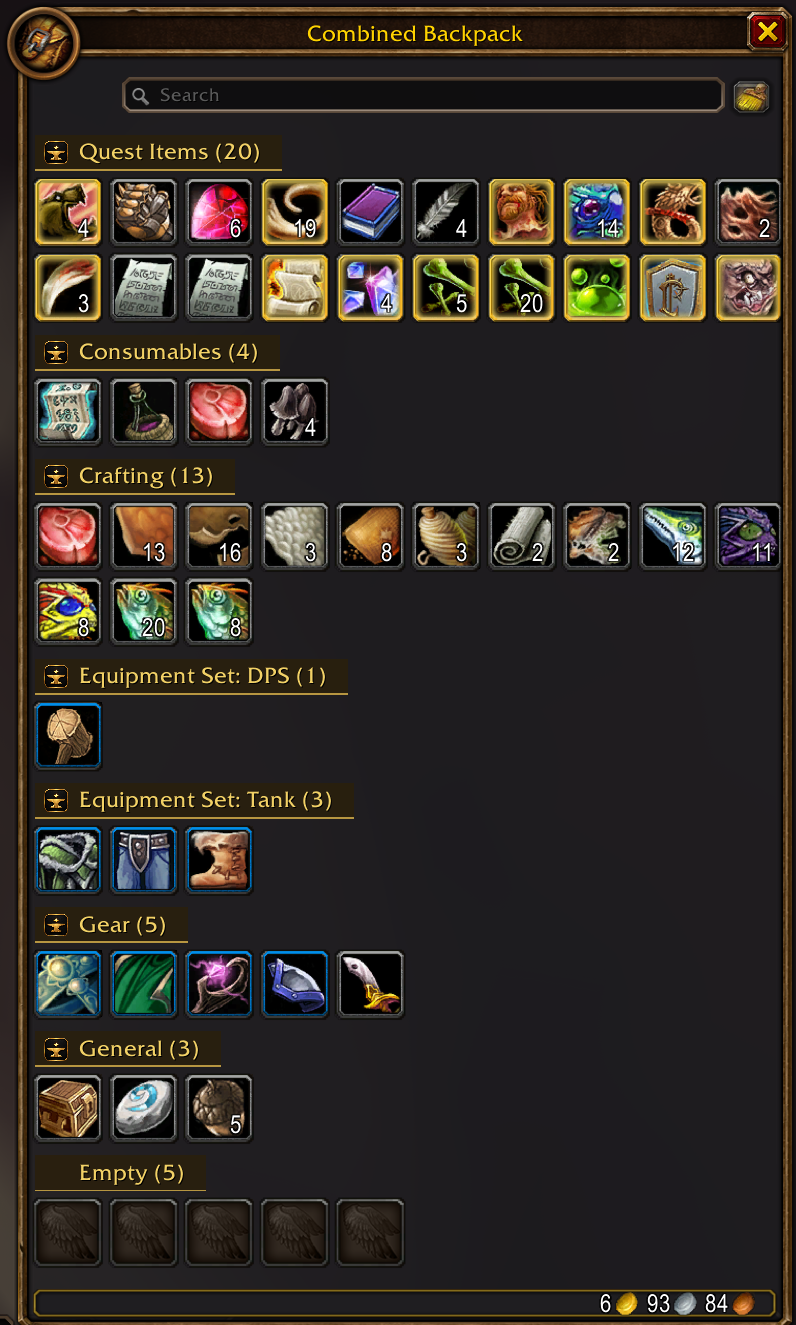
Open your backpack and it is already sorted. Quest items, food and potions, arrows and bullets, reagents, crafting materials, saved equipment sets, gear, everyday items, junk, and empty slots each get their own labeled group, with a count on the label. You spend less time hunting and more time playing.
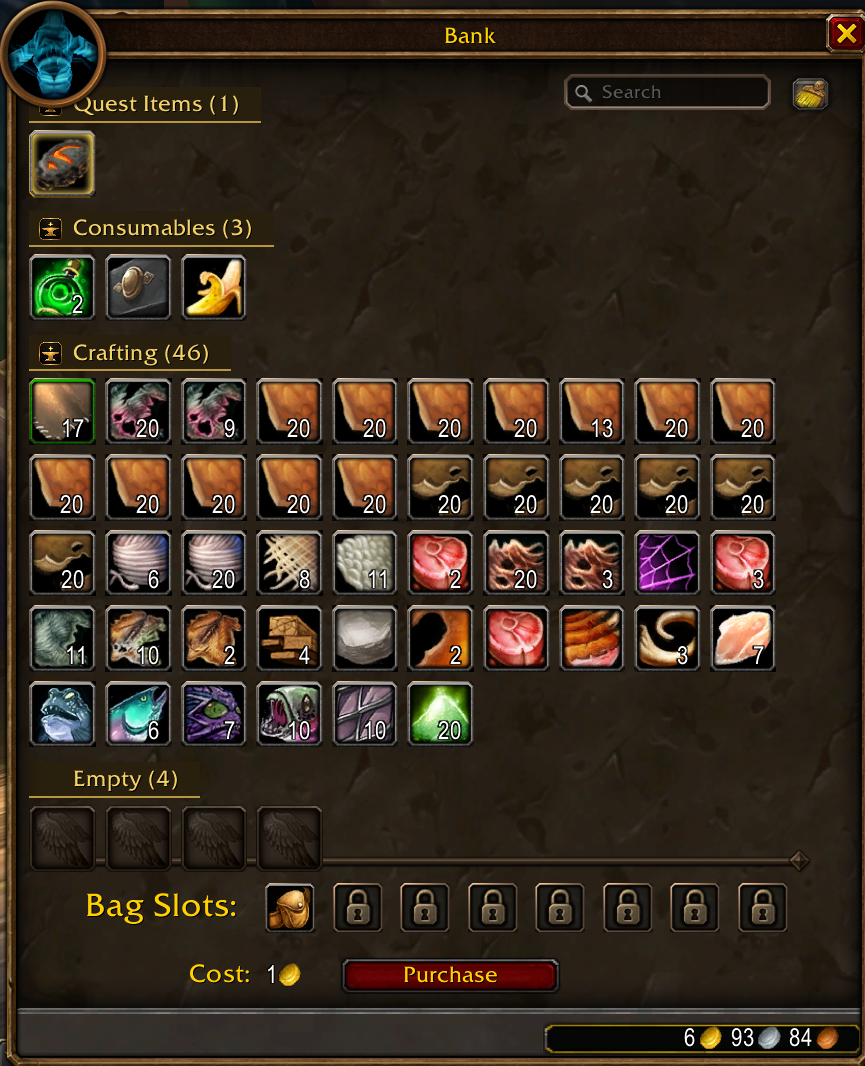
Your bank uses that same order, on its own switch. Find a reagent, a piece of a set, or an empty slot without scrolling through a mixed pile. The bank search box stays right where you expect it.
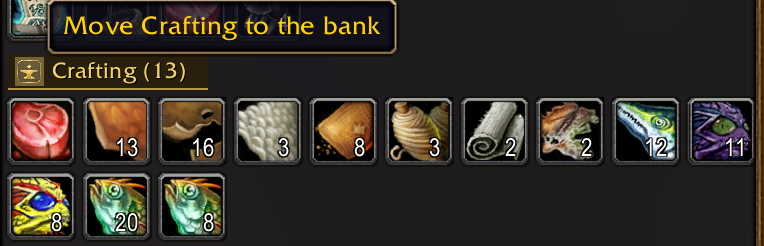
While the bank is open, every filled group in your bags and in the bank gets the Forever Forge button. One click sends that whole group the other way. Stock the bank, or pull a set back out, without dragging item by item. Your hearthstone stays in your bags.
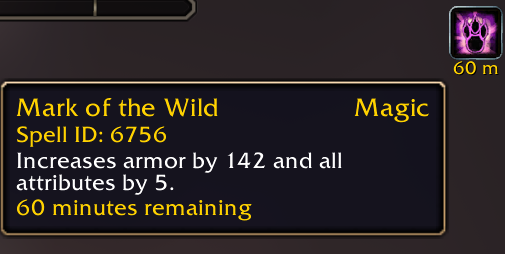
Hover anything and see the ID you actually need. Spells, items, creatures, quests, buffs, and debuffs each show theirs. Quest items in your bags or bank can also name the quest they belong to. Item tooltips can show the vendor sell price for one and for a full stack — toggle that under ID Tooltips → Configure.

A weaker rank left on your bars is easy to miss. SpellMaxer checks your own action bars and tells you, in your chat window: Hey, <name>, you aren't Spellmaxing to the MAX! You're using a lower level of <spell>! Check yoself!
It looks again when you log in, when you enter a new area, and when your group changes.
Open a vendor and the grey junk sells itself. Quest items stay with you. Anything a merchant will not buy stays with you. Walk away from the shop and the selling stops.
Open a repair merchant and your gear is repaired in one step. Optional guild bank funds live under Configure. Vendors that cannot repair are left alone. The merchant window and your bags stay the normal ones.
Loot the whole corpse in one go. When auto-loot is on, opening a body takes everything. Hold your auto-loot key if you want that corpse to stay a normal window. When auto-loot is off, loot stays manual until you hold the key. Bind-on-pickup questions still wait for your answer.
An enemy player steps into range, you hear a short sound, and your chat window names them: Forever Forge: Name <Guild> - 20 human mage detected!
The guild is shown when you can see it. The same person stays quiet for one minute, so a crowded road does not shout forever.
For healers, use your mouse clicks on party and raid frames to quickly cast your heals. They keep working in combat.
Your own portrait stays a normal portrait, so you can still leave the party. A plain left click still targets, and a plain right click still opens the player menu, until you decide otherwise.
Open Configure to see what each click will cast. Type a spell and press Enter to choose a different one. Leave the box empty to keep the spell already shown. Type none and press Enter to clear that click.
When you close the mailbox, Forever Forge remembers the soonest expiry for that character. On login, chat tells you if any recorded alt has mail expiring within the warn window (default 3 days, configurable). Forever already has stock Open All — this tool does not add a second one.
Single non-quest gossip options are skipped for you, and flight masters open the flight map. Hold Shift when you want the normal talk window.
Quests accept and turn in for you. Hold Shift to handle them yourself. Gold-cost quests and turn-ins with more than one reward stay yours to choose.
Five opt-in switches, all off by default: Accept Summon, Accept Res, auto-accept party invites, Decline Duels, and BG Auto-Release. Turn on only what you want.
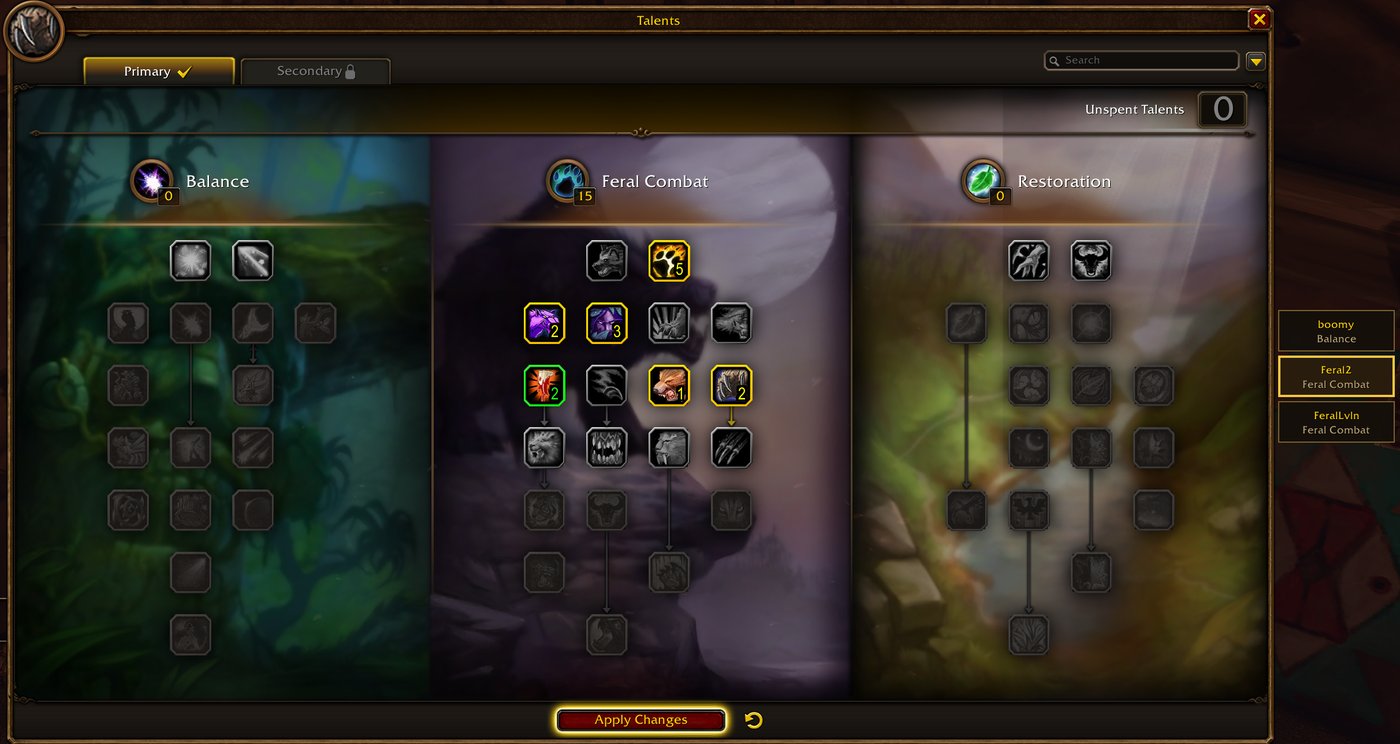
Save talent builds by name for each character and spec. Click a build's brass plate beside the talent window, or use /ff talents, to stage the points. Nothing is committed until you review them and press Apply Changes. If the points you've already spent don't match the build, you'll see "Reset at trainer first" and nothing is placed.
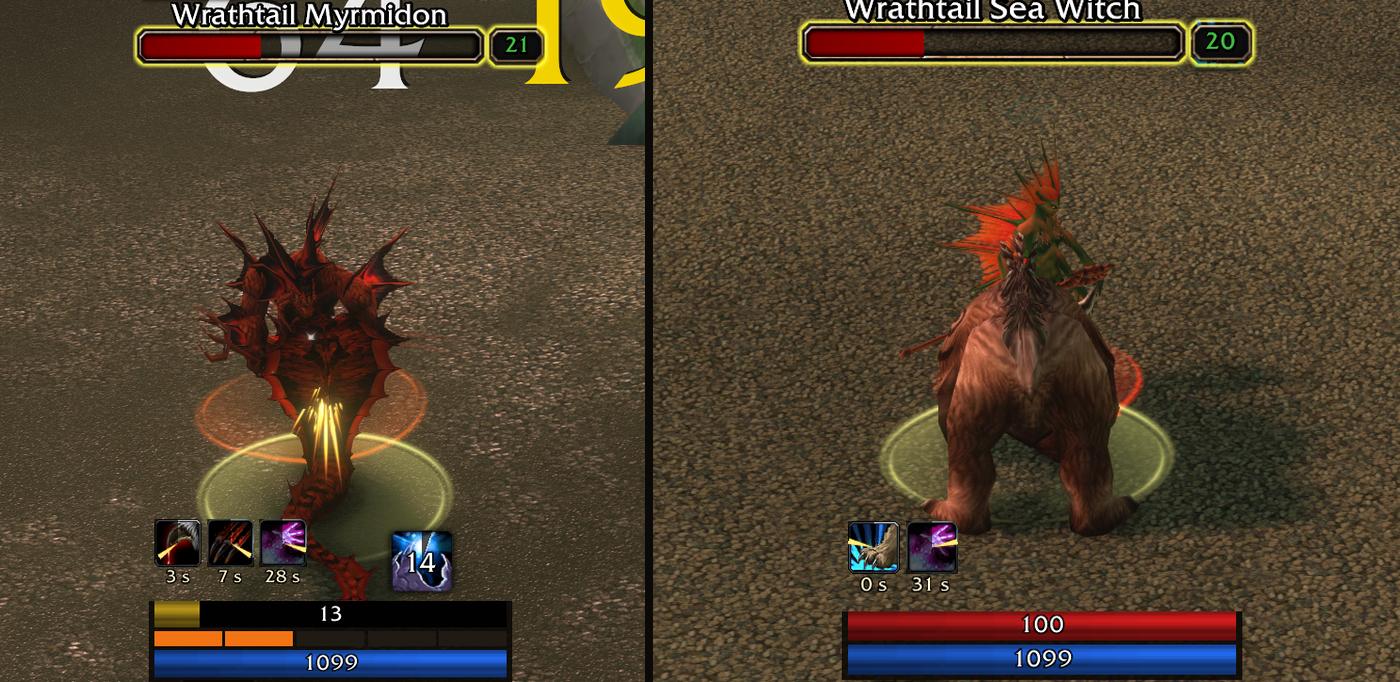
Druids get their own page in the Forever Forge menu, built into the same addon. The Cat Bar and Bear Bar are movable panels that show the debuffs you cast with their time left, your form's resource (energy and combo points in Cat, rage in Bear), and mana. A mana strip sits under the power bar in Bear Form. Lock position keeps a bar from being dragged. Other classes don't see anything.
Forever Forge is free, including every future update. If you've enjoyed this addon, please leave a donation and tell your friends.
https://ko-fi.com/crumpshot